Norse Subscriptions help
Answer customer data requests
Download the file for a customer who asked for their data, and see what happens when one asks to be erased.
This article helps you answer a customer who asks what the app holds about them. Requests are under Settings > Privacy requests.
Under data protection law, such as the GDPR, a customer can ask what a store holds about them, and ask for it to be erased. Customers make these requests to your store through Shopify, and Shopify passes them on to the app. Most stores rarely see one.
Answer a request
- Open Settings and, under More, press Privacy requests. Overview also lists a waiting request under Needs you, with the day to answer by.
- Find the request marked Waiting. It shows when it was Requested, Answer by, and how many days are left.
- Press Download their data. The file is saved on your computer. Nothing is sent to the customer.
- Check that the file is for the right person.
- Send the file to the customer through your own secure channel.
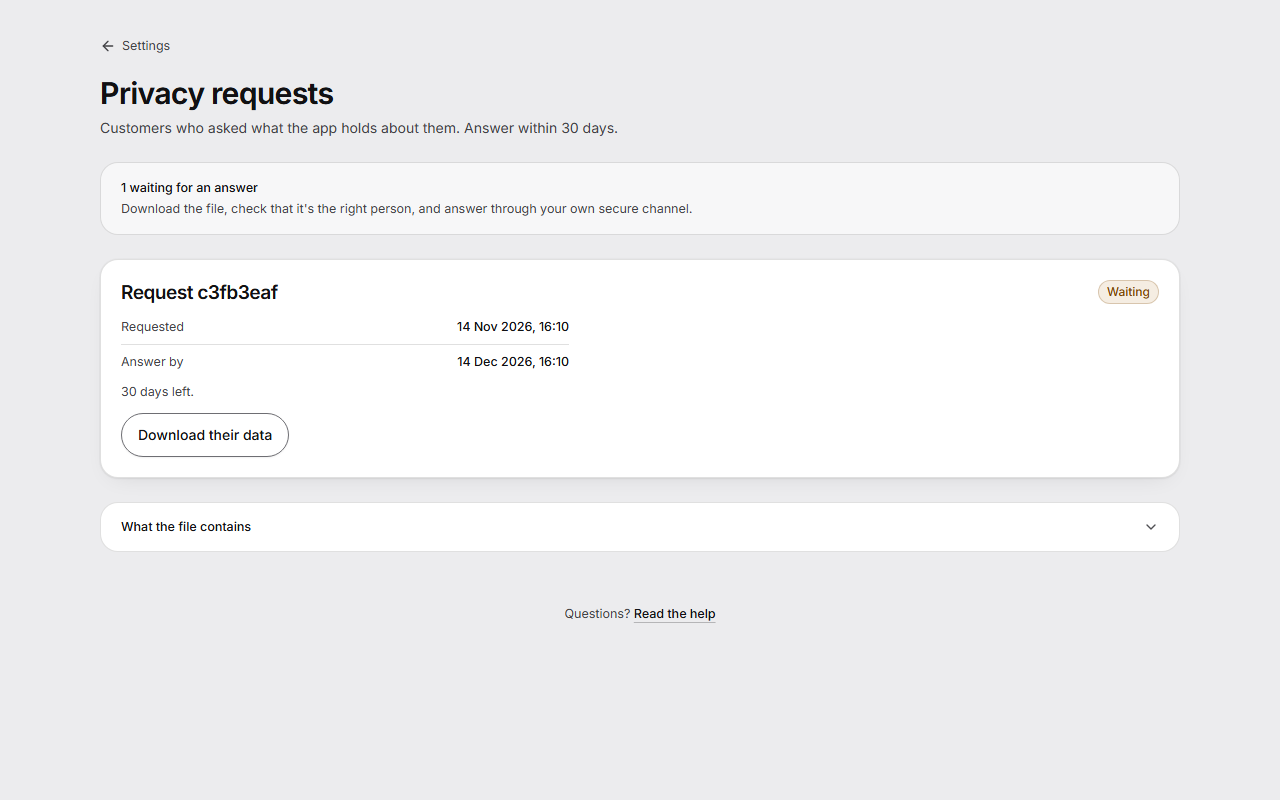
The request then says File made, with when the file was last made.
What the file contains
The subscriptions, delivery plans, payments, history and emails linked to this customer in this app. Names and addresses stay in Shopify, and orders are in Shopify's own export, so answer with both. The file holds personal data, so store and send it with care.
When a customer asks to be erased
You don't need to do anything in the app. When a customer asks Shopify to erase their data, Shopify tells the app.
The app then deletes that customer's sign-in links, queued emails and import data, and removes the customer's identity from their subscriptions and history. Totals that don't say who the customer was are kept. No new charge is started on those subscriptions.
The request then says Erased, and no file can be made for it.
Good to know
- Answer a request within 30 days. The page says how many days are left, or how many days past the deadline it is.
- The app reads names, email addresses and delivery addresses from Shopify when it shows them, and doesn't keep them. That is why they aren't in the file.
- An erasure here can't call back what was already sent to Klaviyo, Omnisend or your own webhooks. After it, nothing new is sent about the customer. Delete what those tools received in each tool.
- The app logs when staff read or export customer data, without the customer's contact details.
- This page works on every plan.
- When you uninstall the app, Shopify asks it to erase the store's data 48 hours later. The FAQ says more under What happens if I uninstall?