Norse Subscriptions help
Integrations: Flow, Klaviyo, webhooks and API keys
Send subscription events to Klaviyo, Omnisend, Shopify Flow and your own systems, and connect Gorgias.
This article helps you connect the app to the tools you already use: your email tool, Shopify Flow, your helpdesk and your own systems. Everything is under Settings > Integrations.
The page opens with a tile for each tool: Shopify Flow, Gorgias, Omnisend, Zapier and page builders. Klaviyo, API keys and webhooks have their own cards below.
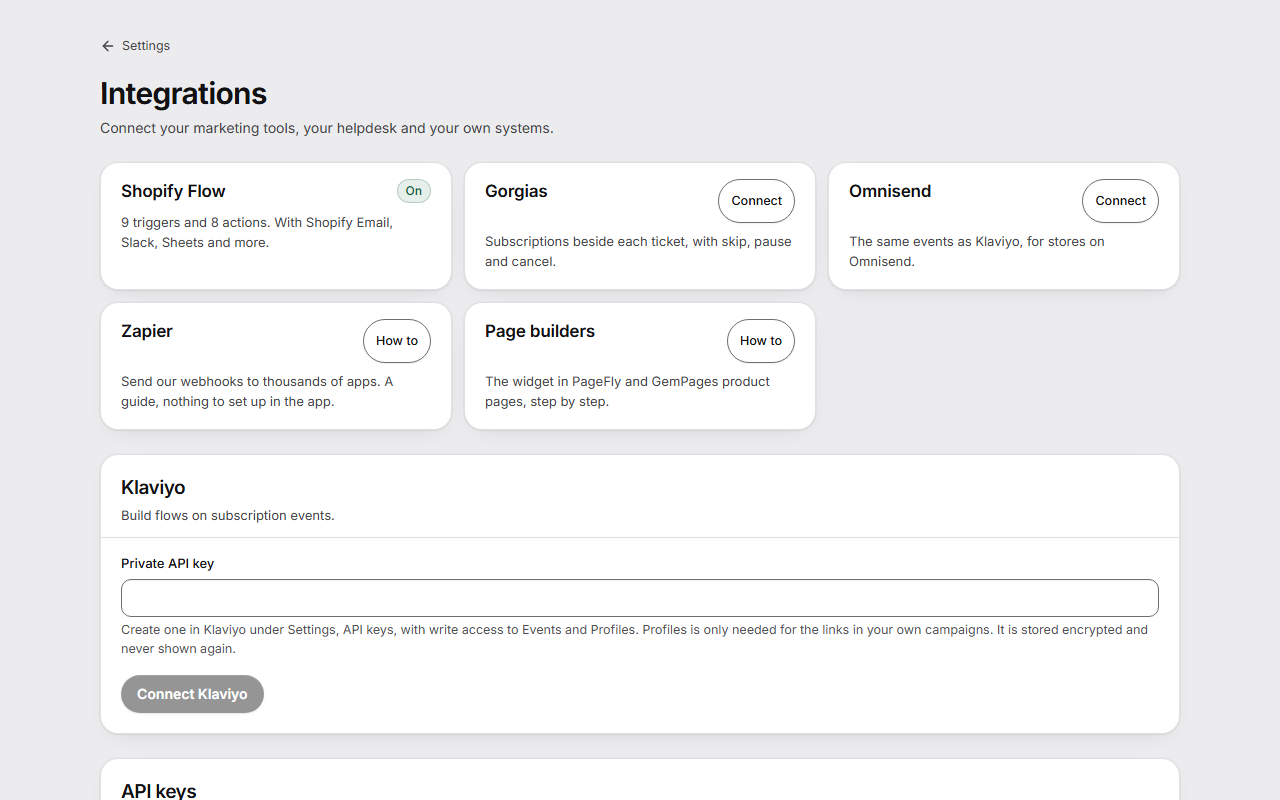
Connect Klaviyo
- In Klaviyo, create a private API key under Settings, API keys, with write access to Events and Profiles. Profiles is only needed for links in your own campaigns.
- In the app, paste it under Private API key.
- Press Connect Klaviyo.
Klaviyo then gets an event when a subscription starts, pauses, resumes or ends, for payments, skips and moves, a new rhythm, an added product, a coming charge, a card about to expire and a customer who can come back. Each event has the products, amount, currency and the customer's page, never anything about the card.
New events are sent every hour. Earlier events are not sent afterwards. Disconnect stops it.
Connect Omnisend
- On the Omnisend tile, press Connect.
- Paste an Omnisend API key with access to send events.
- Press Connect Omnisend.
Omnisend gets the same events as Klaviyo. If Omnisend doesn't take them, they are tried again every hour, and the tile says Needs a look.
Use Shopify Flow
Flow has 9 triggers and 8 actions. Nothing is set up here: you build workflows in the Shopify Flow app.
- Triggers: a subscription starts, ends, pauses or resumes, a payment fails, a delivery is paid, coming up or skipped, or the rhythm changes.
- Actions: skip or move the next delivery, change the rhythm, pause, resume, add or swap a product, and give a discount.
Send webhooks to your own system
- Open Webhooks and write the Receiver address, a public https address.
- Tick the Events you want, or leave all unticked to get every event.
- Press Add endpoint. Copy the signing secret it shows: this is the only time you see it.
- Press Send test to see an event arrive.
Each event is signed and carries an id, so your system can ignore a repeat. Delivery log shows the last 7 days. A receiver that fails for three days is switched off. When you turn it on again, it continues from where it stopped.
Zapier works through a webhook. How to on the Zapier tile has the steps.
Create an API key
- Under API keys, write the Name of a new key.
- Press Create key.
- Copy the key at once. This is the only time it is shown.
Revoke stops a key at once. Each call names the customer it acts for, and reaches only that customer's subscriptions.
Connect Gorgias
- On the Gorgias tile, press Connect.
- Press Create key and show steps, and follow the steps in Gorgias.
Your support team then sees a customer's subscriptions beside each ticket, and can skip the next delivery, pause or cancel, by the same rules as the customer portal. Gorgias never gets the address or the card.
Good to know
- Klaviyo and Omnisend events and Shopify Flow are in Starter. API keys and webhooks are in Growth. Gorgias is in Scale.
- On a plan without them, events and Flow triggers stop, and nothing missed is sent later. API keys and webhooks keep working for 30 days, with the date on this page. Disconnecting and revoking always work.
- Flow triggers start within the hour, not the moment something happens, because the app sends them with its hourly run.
- A Flow discount isn't given while one of the same size is still running on the subscription, so a workflow on every paid delivery can't stack them.
- A prepaid subscription can't swap a product.
- What a workflow does doesn't start another workflow, so a step can't go round in a loop.
- How to on the page builders tile has the steps for the widget in PageFly and GemPages.