Norse Subscriptions help
Shipping for subscriptions
Choose what subscribers pay for shipping: the same as your store, free, or one flat price per delivery.
This article helps you choose what subscribers pay to have each delivery sent. It is under Settings > Shipping for subscriptions.
You can keep your store's usual rates, give free shipping, or charge one flat price. The app puts your choice into Shopify as its own shipping profile for your plans, so checkout and every later delivery use it. One-time purchases keep your usual rates.
Choose the shipping
- Open Settings. Under More, press Shipping for subscriptions.
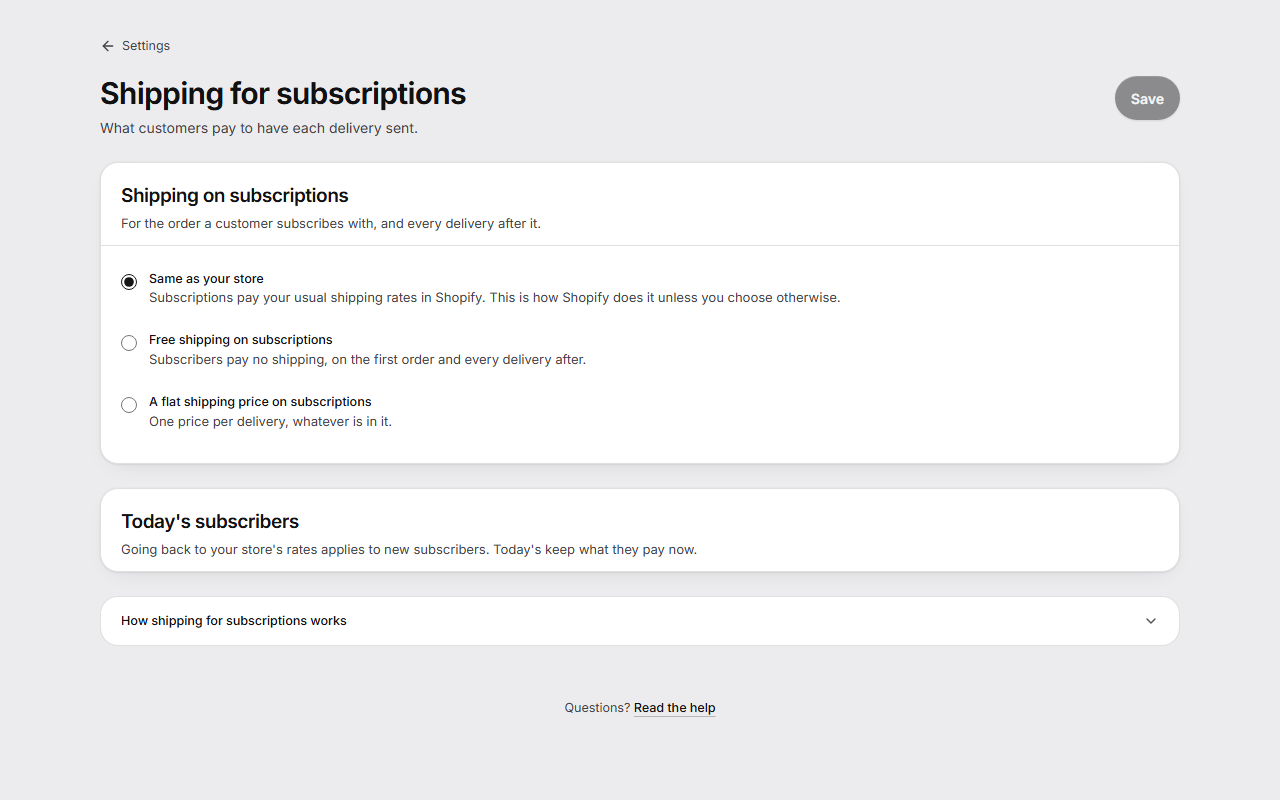
- Under Shipping on subscriptions, choose one:
- Same as your store: subscriptions pay your usual shipping rates in Shopify.
- Free shipping on subscriptions: subscribers pay no shipping, on the first order and every delivery after.
- A flat shipping price on subscriptions: one Price per delivery, whatever is in it.
- With a flat price, you can turn on Free shipping over an amount and set the amount in Free from. It counts the products on one delivery as the customer pays for them, before shipping.
- With free shipping or a flat price, choose under Today's subscribers: Only new subscribers or Today's subscribers too, from their next delivery.
- Press Save.
If you chose today's subscribers too, the page then goes through them. Each is checked in Shopify first, and the page shows how many were lowered and how many were left as they were. If you leave the page before it is done, open it again and press Continue.
Choose plans, countries and names
With free shipping or a flat price, you can open Customize:
- Plans: All plans, also the ones you make later, or Only these plans. Plans that aren't chosen keep your store's shipping.
- Countries: Everywhere you sell, or Only these countries, with a price for Other countries, per delivery, so a subscription can still be bought where you sell outside them.
- Names at checkout: what the customer sees for Shipping with a price and Free shipping.
Good to know
- Shopify saves the shipping price on each subscription from the order it started with, and every later delivery charges that price. That is why a change reaches today's subscribers only if you choose it.
- For today's subscribers, shipping is only ever lowered. A higher price for someone who already subscribes is a price rise, which needs notice first, so it goes to new subscribers only.
- Going back to Same as your store applies to new subscribers. Today's subscribers keep what they pay now.
- Prepaid subscriptions, local delivery, pickup and subscriptions in another currency than your store's keep the shipping they have.
- The rates for subscriptions don't show under Shipping and delivery in Shopify. They are set here.
- With free shipping, or a flat price that is free over an amount, the widget can say “Free shipping”, or “Free shipping over” the amount, as a selling point. See Show subscriptions on product pages.
- If Shopify has no location that ships for your store, the page says so. Subscriptions have nowhere to be sent from until you fix it in Shopify.