Norse Subscriptions help
Checkout links and QR codes
Make a link that opens checkout with a product and plan chosen, for posts, emails, texts and QR codes.
A checkout link takes a customer straight to checkout with a product and a plan already chosen, so they only have to pay. You make links under Plans > Checkout links, for Instagram, an email, a text message or a QR code on your packaging. Checkout links are in Growth.
Before you start
The plan must be published, and Shopify must sell it on the product. See Create a plan.
Make a link
- Open Plans and press Checkout links. You can also press Create link in the Checkout links card on a plan's page.
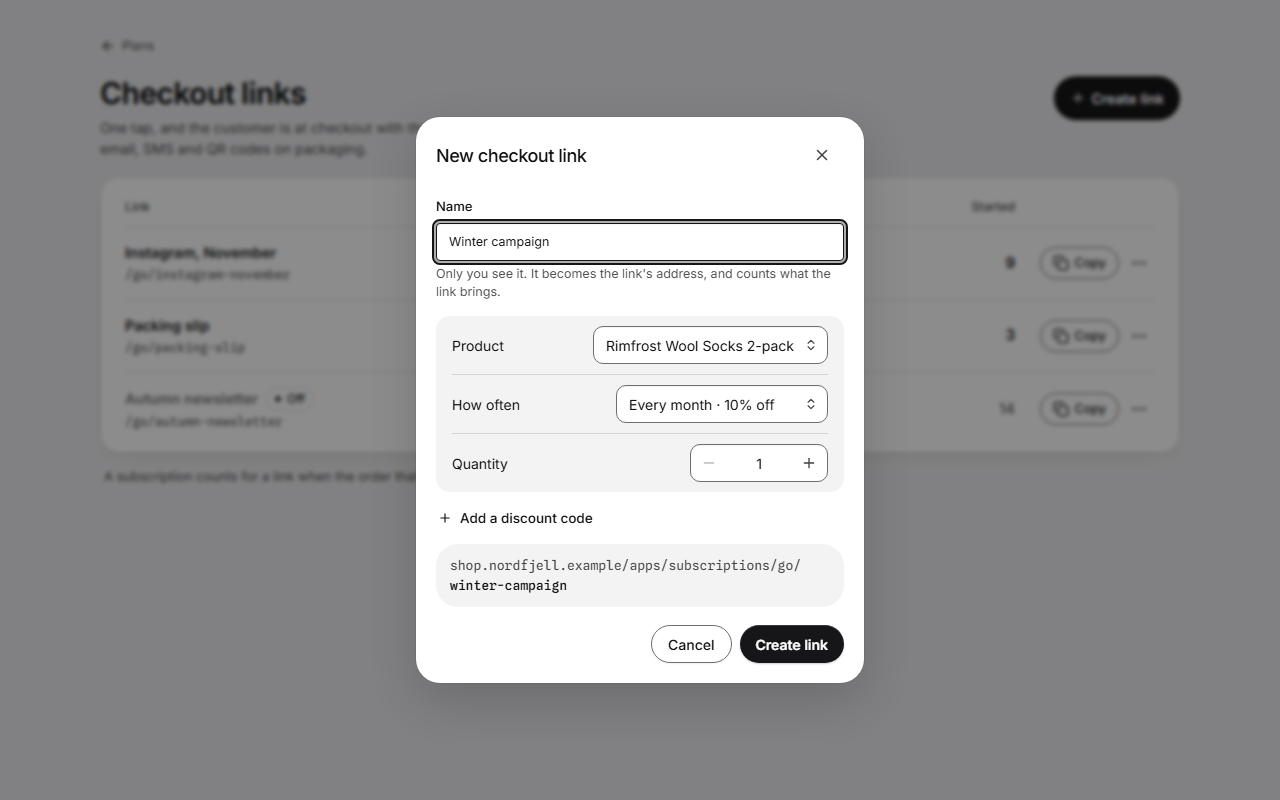
- Press Create link. The window New checkout link opens.
- Write a Name. Only you see it. It becomes the end of the link's address. Left empty, the link is named after the product.
- If you have more than one plan, choose the Plan.
- Choose the Product, or Another product… on a plan with many products.
- Choose How often and the Quantity, from 1 to 99.
- If you like, press Add a discount code and write one.
- Check the address under the form, such as yourstore.com/apps/subscriptions/go/instagram-november.
- Press Create link. The window says Link ready, with Copy link and QR code.
Use the list
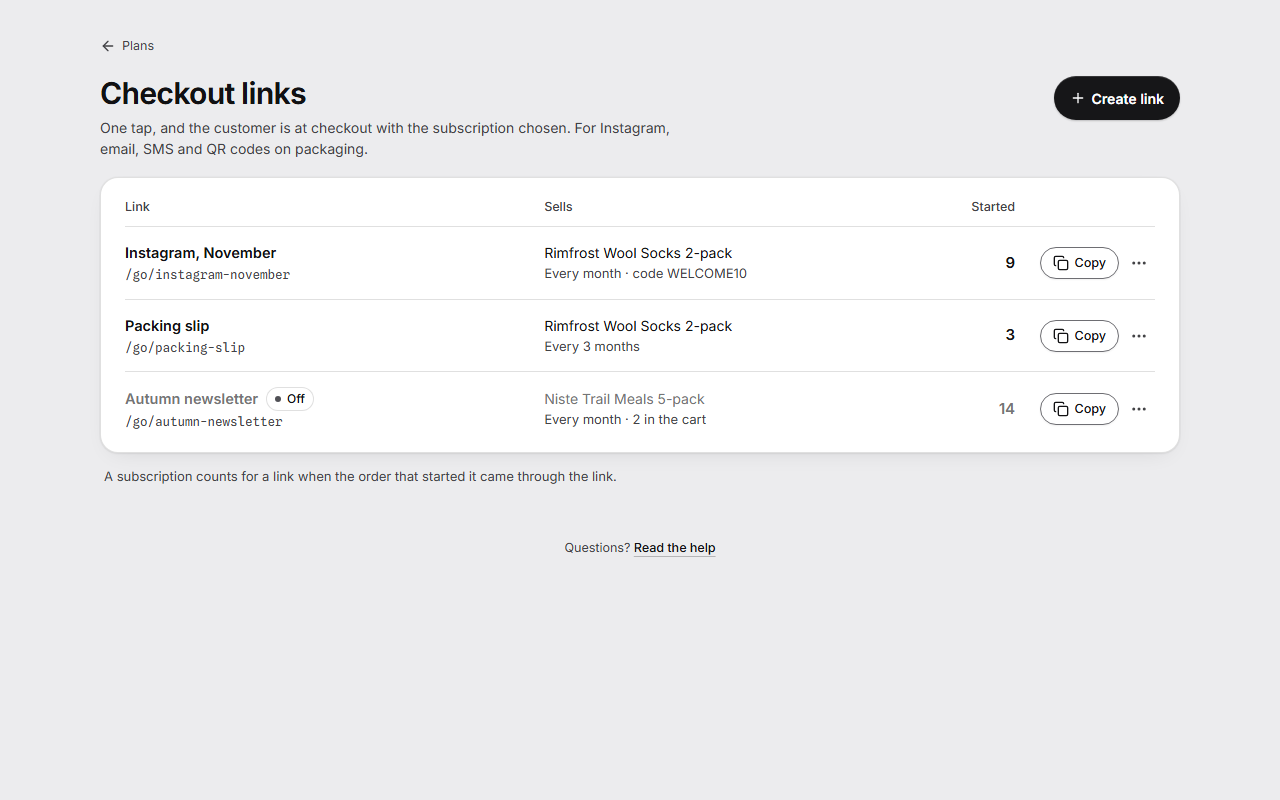
Each row shows the link's name and the end of its address, what it Sells, and Started: how many subscriptions it has started. Copy copies the whole address.
Behind the three dots are QR code and Turn off. A link that is turned off is grey and marked Off. Turn on brings it back.
A link whose plan isn't in your store is marked Plan not in store. It says it isn't active until you publish the plan again.
Get a QR code
- Press the three dots on the link's row and choose QR code.
- Press Download PNG for posts, or SVG for print.
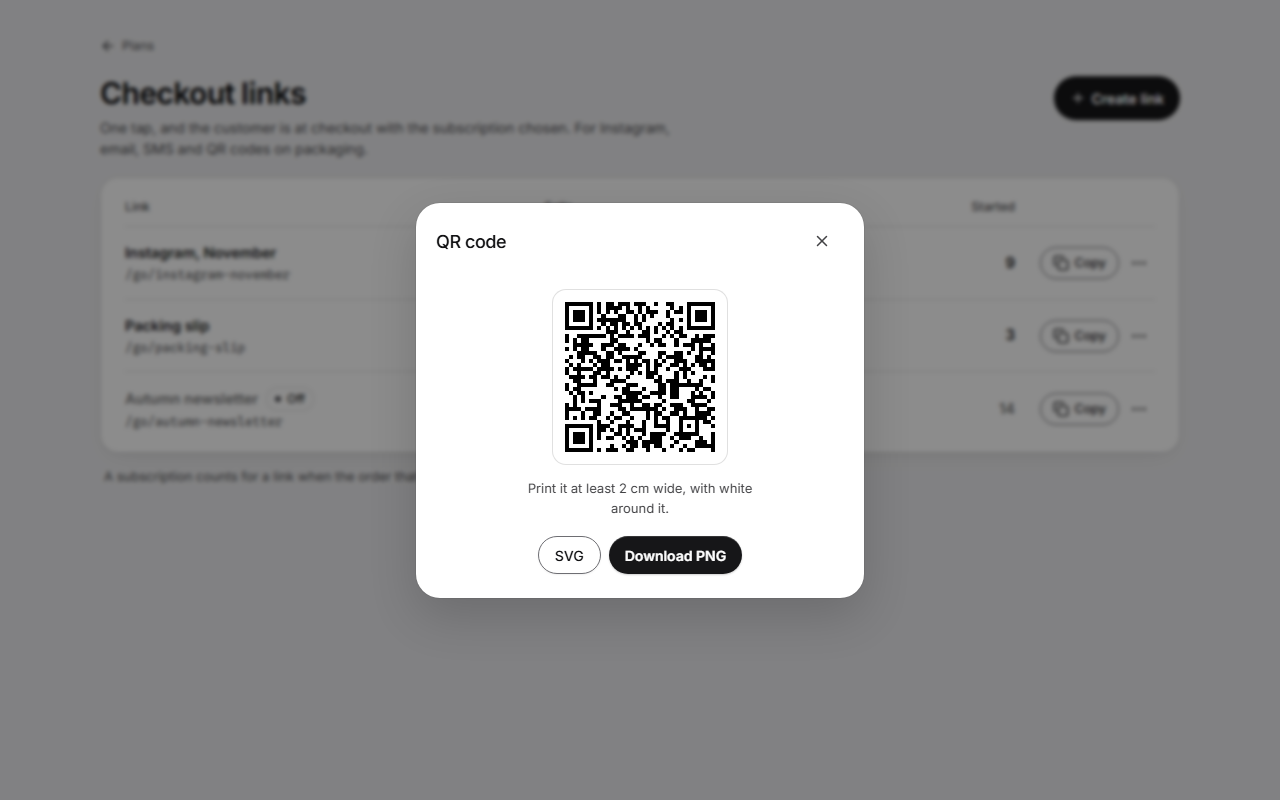
Print the code at least 2 cm wide, with white around it.
Good to know
- A link that is turned off, whose plan isn't in your store, or whose product Shopify no longer sells with the plan doesn't open checkout. It opens a short page in your theme, in the shopper's language, that says "This link is no longer active", with "See the product" or "Go to the store".
- The discount code has to exist under Discounts in Shopify and apply to subscriptions. The app can't check it, and anyone with the link can see it.
- A subscription counts for a link when the order that started it came through the link. The order carries the link's name under Additional details. Analytics > Choosing subscription shows the same count per link.
- On a Norse plan without checkout links, the links you have keep working, because they may be printed on packaging. You can still copy them and show their QR code, but not make new ones or turn them on and off.
- While new subscriptions are paused over your Norse plan's limit, no link can be made, and your links say they aren't active until new subscriptions are back on.
- A store can have 500 links.