Norse Subscriptions help
Turn on automatic charging and choose the charge time
Turn on automatic charging, choose the hour deliveries are charged, and pause charging when you need to.
This article helps you turn on automatic charging, choose when deliveries are charged and pause charging. It is all on the Charging card under Settings.
Automatic charging is what makes a subscription renew. On each delivery's date the app charges the customer's saved payment method through Shopify, and Shopify creates the order. It is off until you turn it on, so you can set up plans, the widget and the portal first. Turn it on before your first renewal is due.
Before you start
- Check the rules for failed payments under Settings, Failed payments. See When a payment fails.
- If you are moving subscribers from another app, finish the move first. See Move subscribers from Seal or a CSV.
Turn on charging
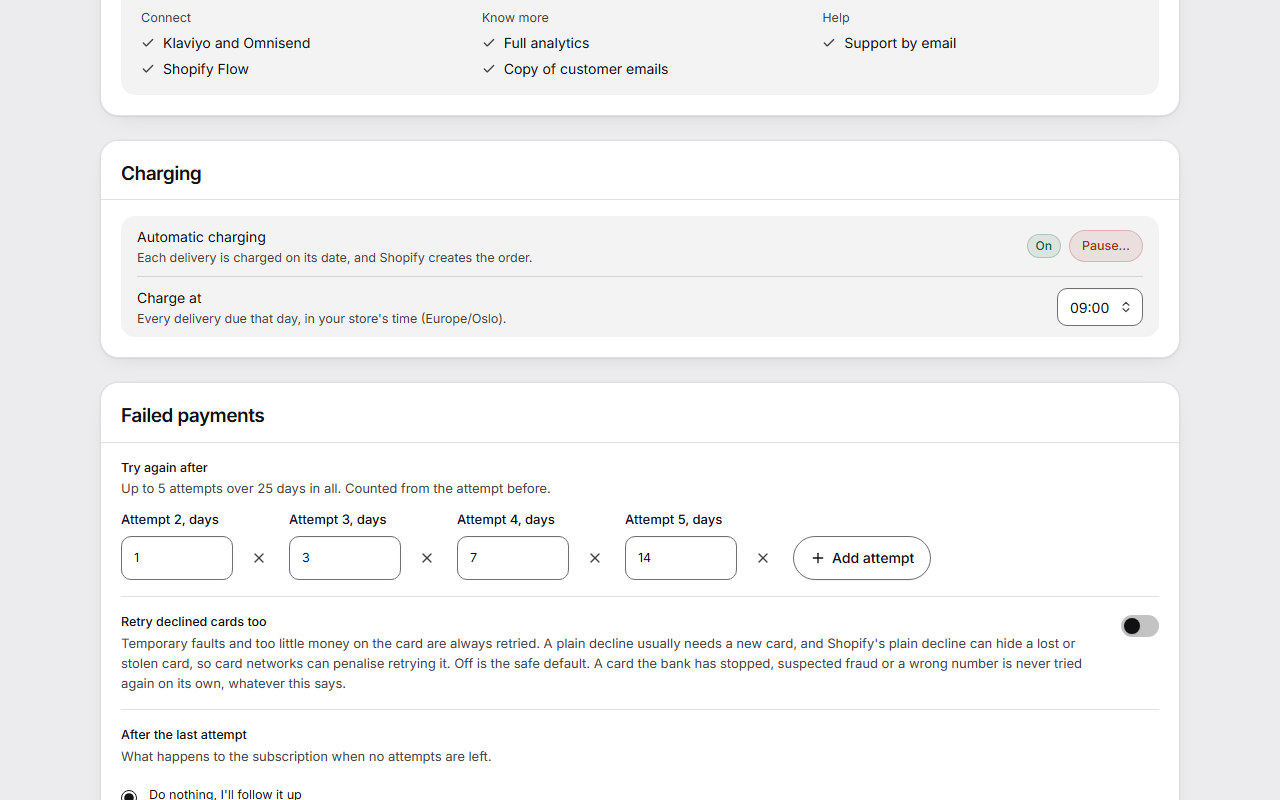
- Open Settings. On the Charging card, the row Automatic charging shows On, Paused or Off.
- Press Turn on. If nothing is waiting and charging has never been paused, charging is now on.
- If something is waiting, or charging was paused before, the button says Turn on… and the window Turn on automatic charging? opens. It lists the deliveries that came due while charging was off, which the app charges within the hour, the failed payments that are tried again, and any that are more than 31 days late.
- Press the button that names the number, such as Turn on and charge 2, or press Not now.
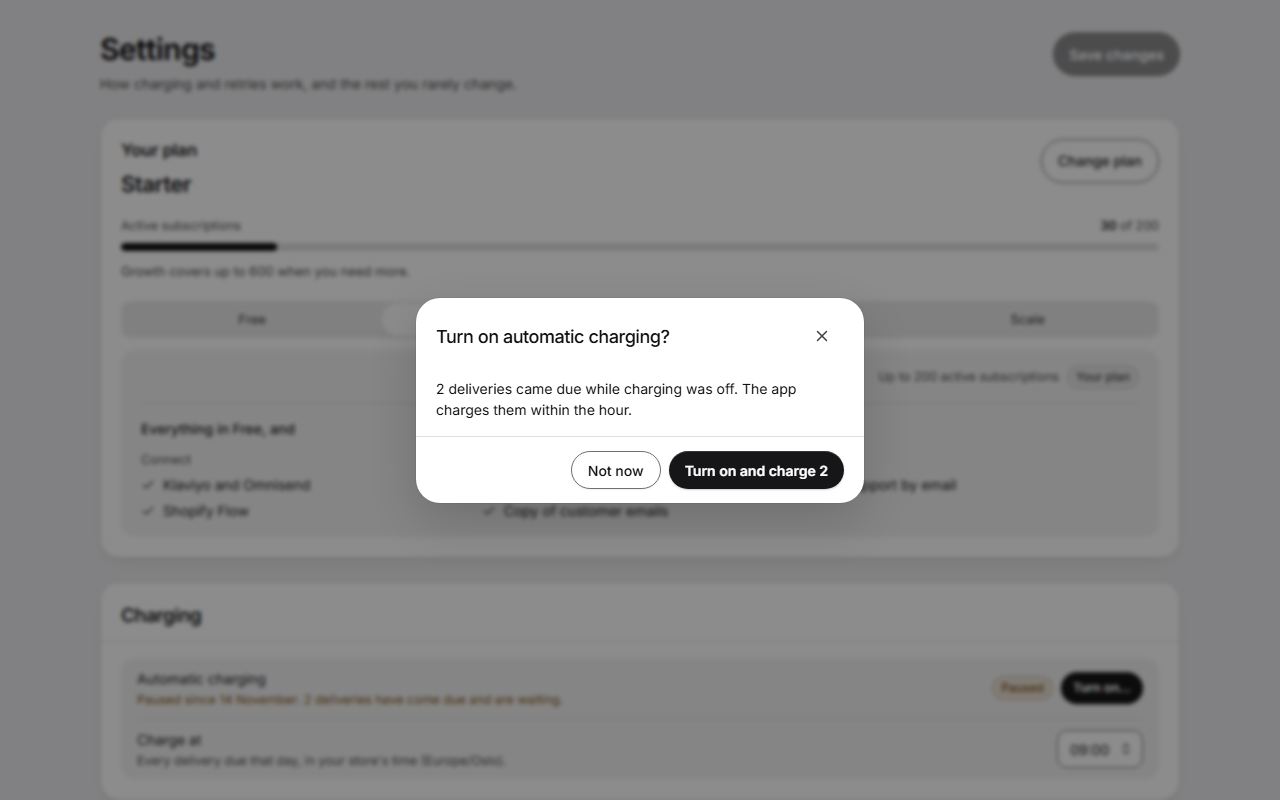
If more deliveries come due while the window is open, charging isn't turned on yet. The window shows the new number and says it changed. Check it and press again.
The last step of Get started turns charging on in the same way.
Choose the charge time
- Under Charge at, choose the hour. Every delivery due that day is charged at that hour, in your store's time zone. New stores start at 09:00.
- Press Save changes.
The new hour applies to the subscriptions you already have. Their dates stay the same.
Pause charging
- Press Pause… beside Automatic charging.
- Read the window Pause all automatic charging? No delivery is charged and no order is created until you turn charging on again. A payment that is already running finishes. Customers aren't told, and their dates stay the same.
- Tick "I understand that no customer is charged while this is paused".
- Press Pause charging. Keep charging closes the window without pausing.
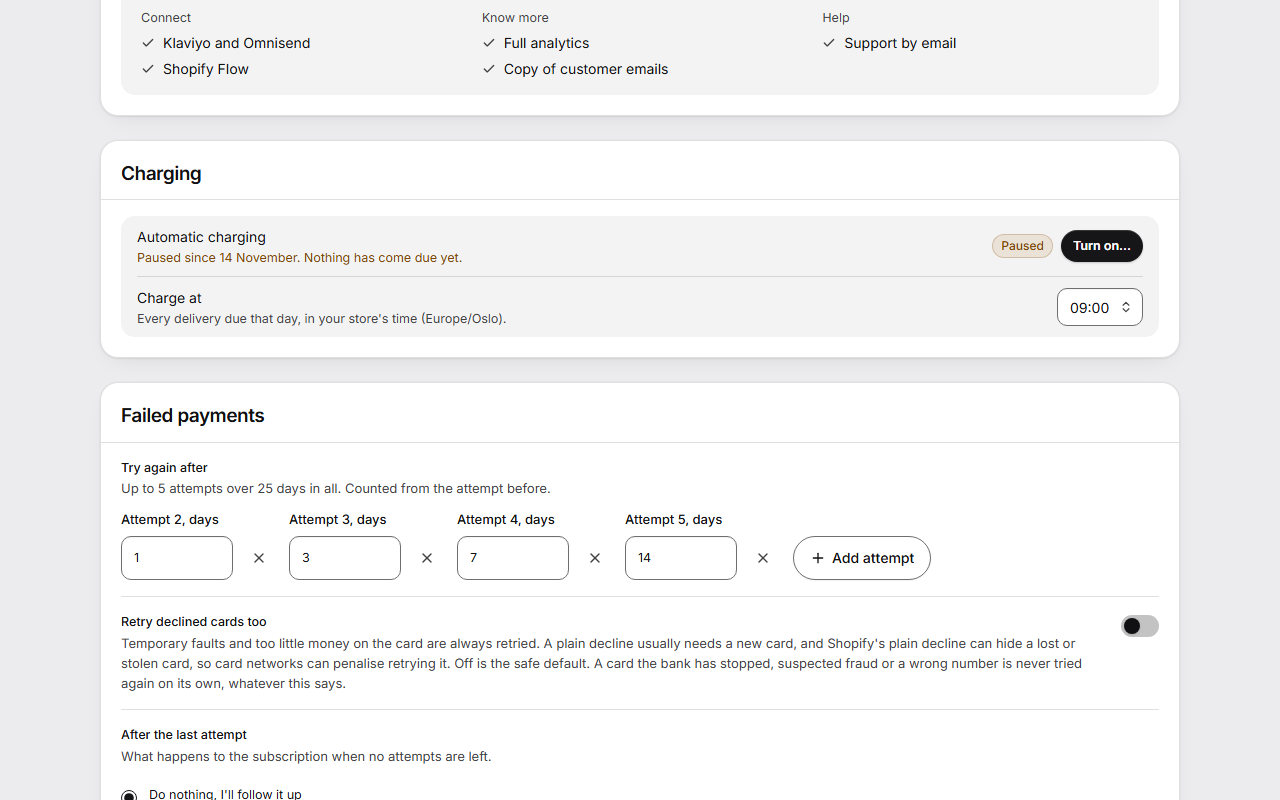
While charging is paused or off, the row says since when and how many deliveries are waiting.
Good to know
- Turning charging on and pausing it happen at once. They are not part of the page's unsaved changes.
- A delivery more than 31 days late is never charged on its own. Open the subscription to send or skip it.
- A payment is never taken twice for one delivery, even if someone presses twice or Shopify repeats a message.
- When many deliveries fall due at once, the first run starts at the charge hour and the rest follow every 15 minutes until all are charged. Payments shows how many are waiting for their turn.
- While charging is off, customers can still skip, move, pause and change their deliveries in the portal. They can't send a delivery now or try a failed payment again. You can still do both from the subscription's page.
- If the row says charging hasn't been activated for your store yet, no payment can be taken. Your other settings still save.