Norse Subscriptions · for Shopify
How Norse Subscriptions works
Your plans live in Shopify's own subscriptions. Customers buy at Shopify's checkout, each renewal becomes a normal Shopify order, and the app keeps the delivery plan, the portal and the follow-up around it.
01
Plans and the widget
A plan is what customers subscribe to: one or more delivery frequencies, a discount for each, and the products it covers. The discount can be a percentage, an amount off or a fixed price, and it can be bigger on the first orders or grow over time.
- Prepaid plans, where one payment covers several deliveries.
- A minimum number of orders, an end, or a fixed day for renewals, if you want them.
- Chosen products, collections or your whole catalog.
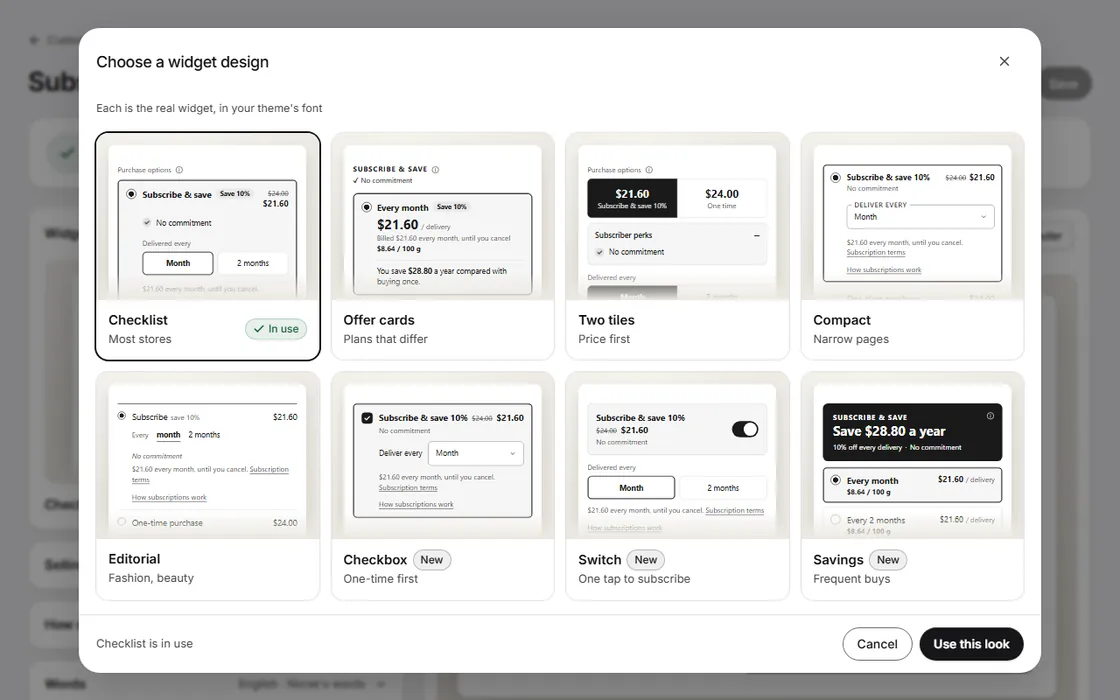
- The subscription choices sit above the buy buttons as a block in your theme. Your theme's code is not changed.
- Eight looks for the widget, tuned in Widget studio with a live preview of your own product.
02
The customer portal
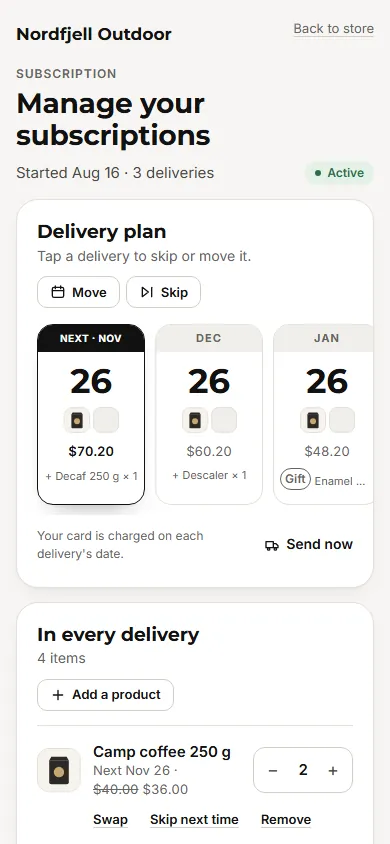
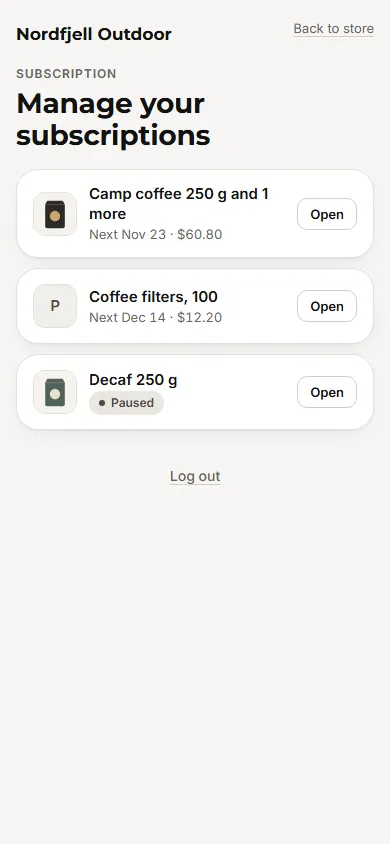
A page in your store where subscribers run their own subscriptions. They get there signed in to your store, or with a link sent by email. There is no extra password.
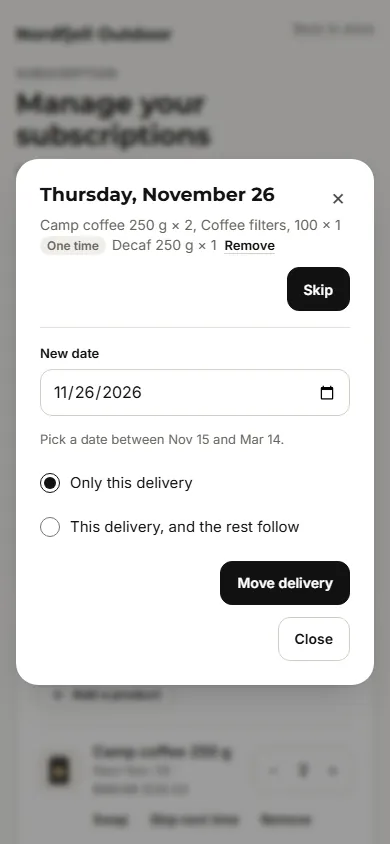
- Skip or move a delivery, pause for a set time, resume, or cancel.
- If you allow it: change the rhythm or quantity, swap, add or remove a product, add a one-time product, and change the delivery address.
- Before a change is saved, customers see the new dates and anything that falls away.
- You choose what customers can do, and set limits such as skips in a row.
- Your own cancellation reasons. On Growth, an offer before they go.
03
Charging and failed payments
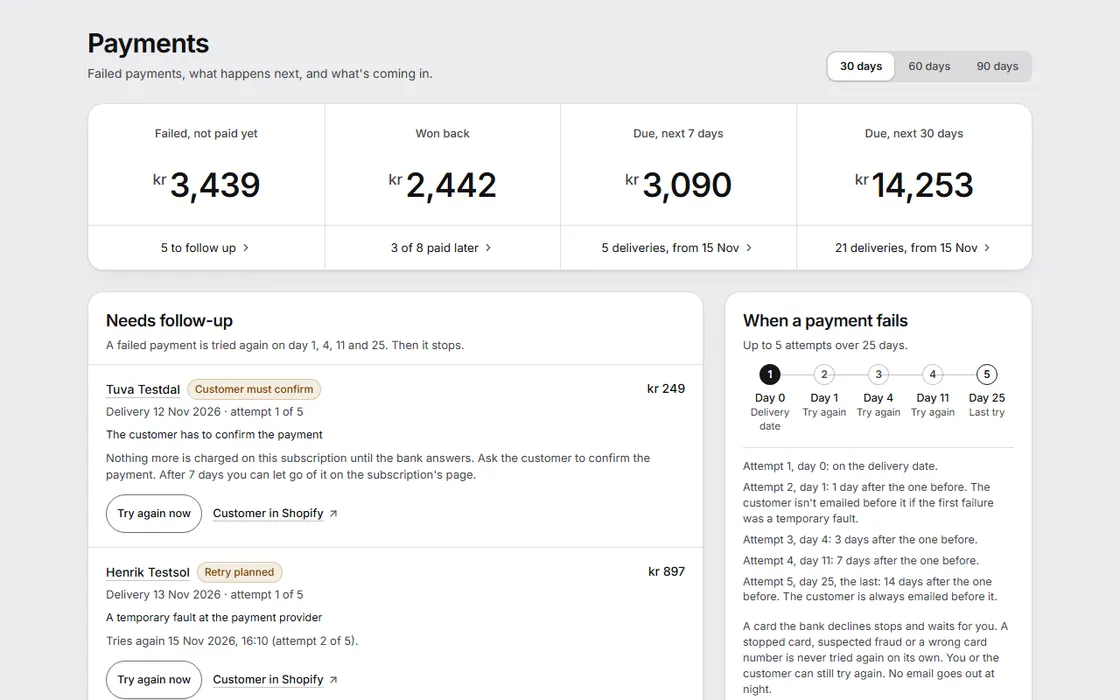
Charging is off until you turn it on, and a window first tells you what will be charged. From then on each delivery is charged through Shopify on its date, at the hour you choose, and becomes an order in Shopify as usual.
- A payment that fails for a reason that can clear up is tried again. By default after 1, 3, 7 and 14 days, or on the days you set.
- A declined card stops and waits, unless you choose to retry those too.
- After the last attempt you choose what happens: nothing, skip the delivery, pause or cancel.
- Payments shows each failed delivery, the amount at risk, and what happens next.
- One switch pauses all charging in your store, when you need it.
04
Emails and languages
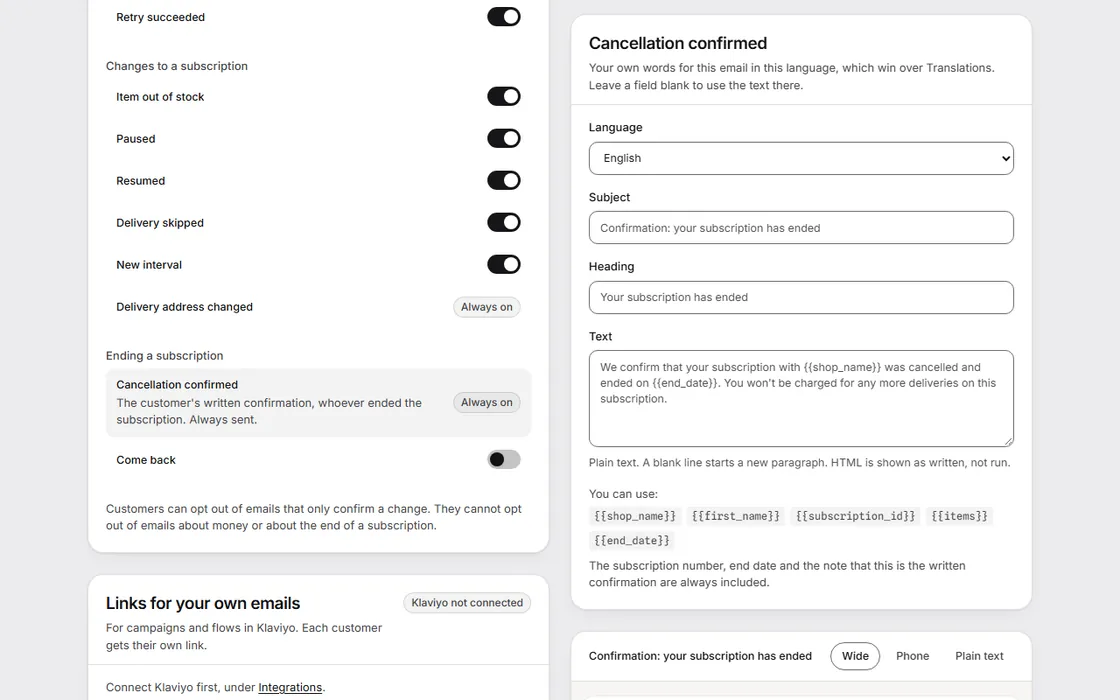
Subscribers get an email at each step that matters to them, with your store's name, your logo and your own words: welcome, upcoming charge, payment failed, retry succeeded, item out of stock, paused, resumed, skipped, new interval and cancellation confirmed, among others. You can switch each one off, except the confirmation of a cancellation. On Growth, the emails can come from your own domain.
The portal, the emails and the widget's text are in English and Norwegian Bokmål, and so is the app itself. Customer text in Swedish, Danish, German, Spanish and French is there too, machine-translated for now. On the Translations page you can change any word customers read.
05 · Growth
Checkout links
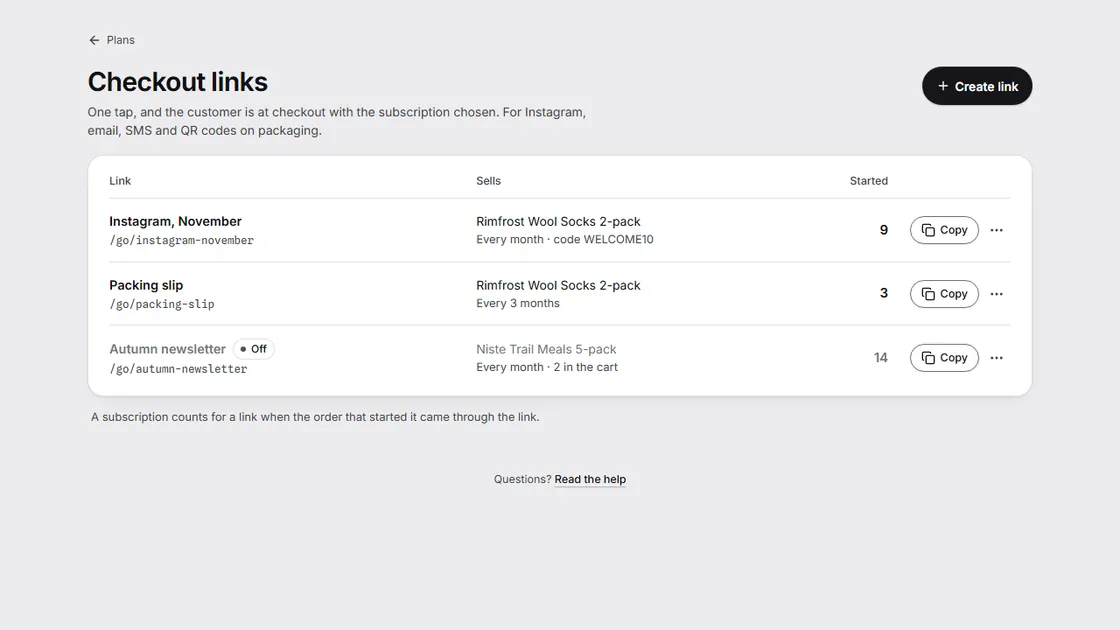
A link that opens checkout with the product and the plan already chosen. Put it on Instagram, in an email, or as a QR code on your packaging. Each link counts the subscriptions it started.
- Make, copy and switch off links in the app.
- Links you have made keep working if you later change plan, so a printed QR code stays good.
06
Moving from Seal or a CSV
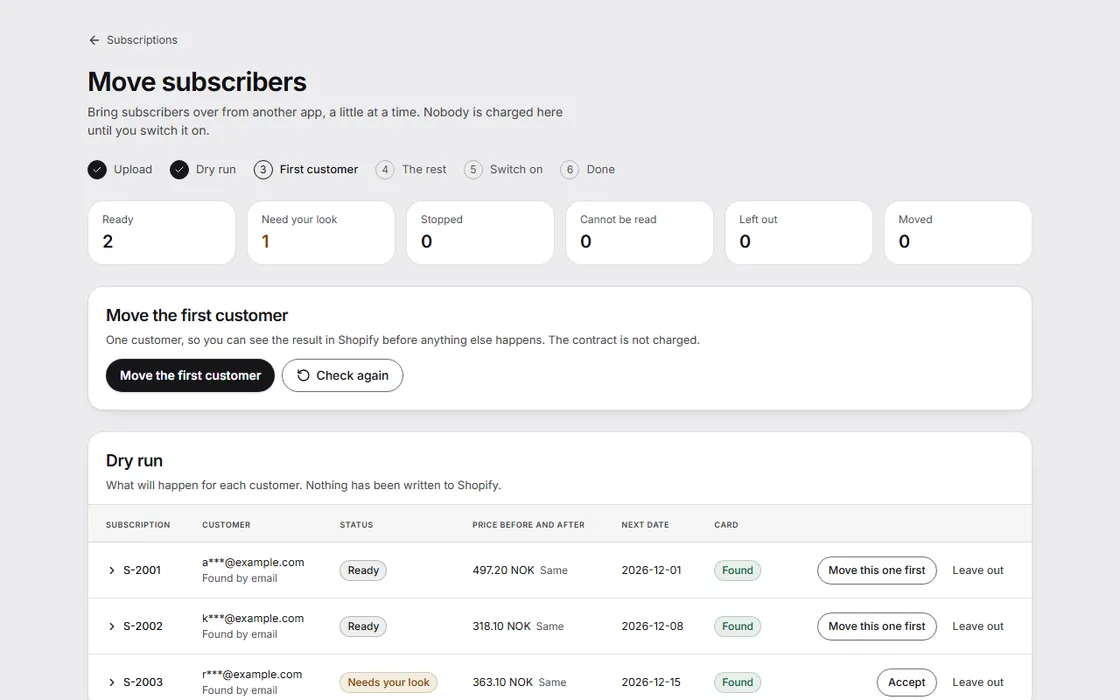
Bring subscribers over from Seal, or from any CSV you can match to the columns. The move creates new subscriptions owned by Norse Subscriptions. It does not take over the old app's subscriptions, so pause those first and nobody is charged twice.
- Upload the file and match its columns.
- A dry run shows what would happen to each subscriber, before anything is written to Shopify.
- Move one customer first and check the result, then the rest.
- Changed your mind? A way back undoes the move.
Whether a card saved with your old app can be charged here depends on your store, and is not guaranteed. A subscriber without a card that works here stays on hold. On Scale, we do the move with you.
07 · Starter and up
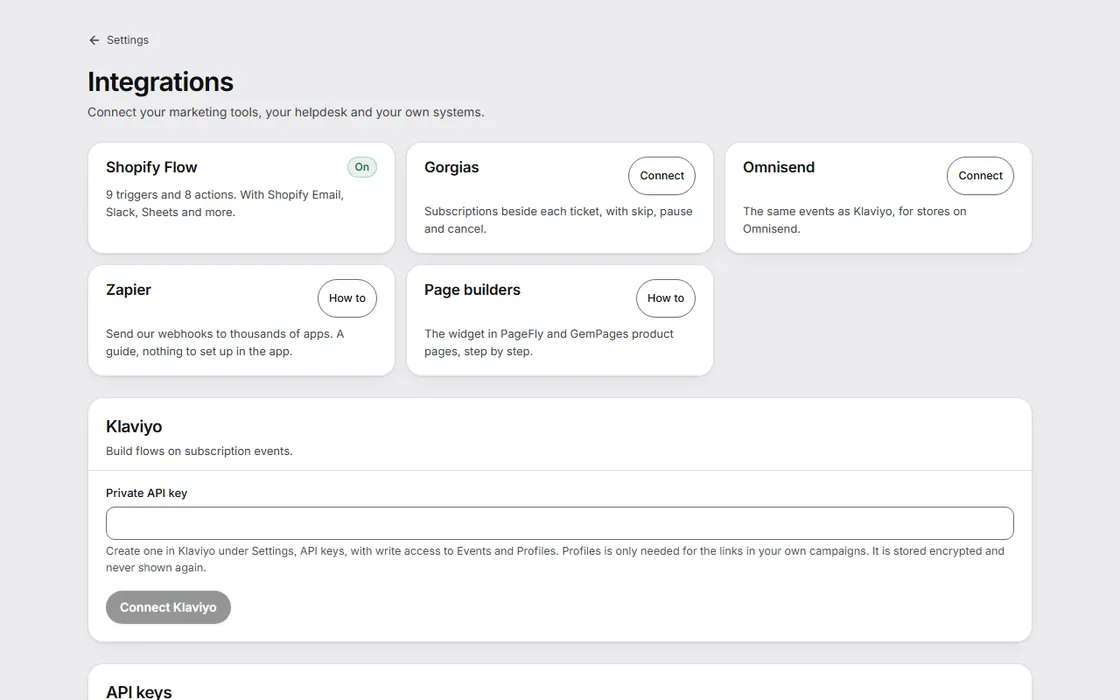
Flow, Klaviyo and webhooks
Let the tools you already use react to subscriptions, and make changes too.
- Shopify Flow: nine triggers, such as a skipped delivery, and eight actions, such as skipping the next delivery. Starter.
- Klaviyo and Omnisend: events about each subscription for your own flows. Starter.
- Webhooks to your own systems, and an API your own server can call. Growth.
Also in the app
Shipping prices for subscriptions, analytics for recurring revenue and who stays, customer data requests, and on the higher plans an add-on shelf in the portal, rewards, and changes to many subscriptions at once. See what each plan includes, or read the help center.