Norse Subscriptions help
Move subscribers from Seal or a CSV
Bring subscribers over from Seal or another app's CSV, with a dry run, one customer first and a way back.
This article helps you move subscribers from another app without asking them to subscribe again. Open Subscriptions and press Move from another app, or find the same row under Settings > More.
The move makes new subscriptions here from a file, a little at a time. Nobody is charged here until you switch charges on for the move. Only one app may charge a customer at a time.
Before you start
- Publish a plan for each rhythm your subscribers have. The move links each subscriber to a plan with the same rhythm.
- Shopify must have approved the app to read customers' names, email addresses and delivery addresses. Until then, the page says it is waiting for Shopify's approval.
- Do the move before you turn on automatic charging, or at a time with no charges in the old app.
Upload the file and do a dry run
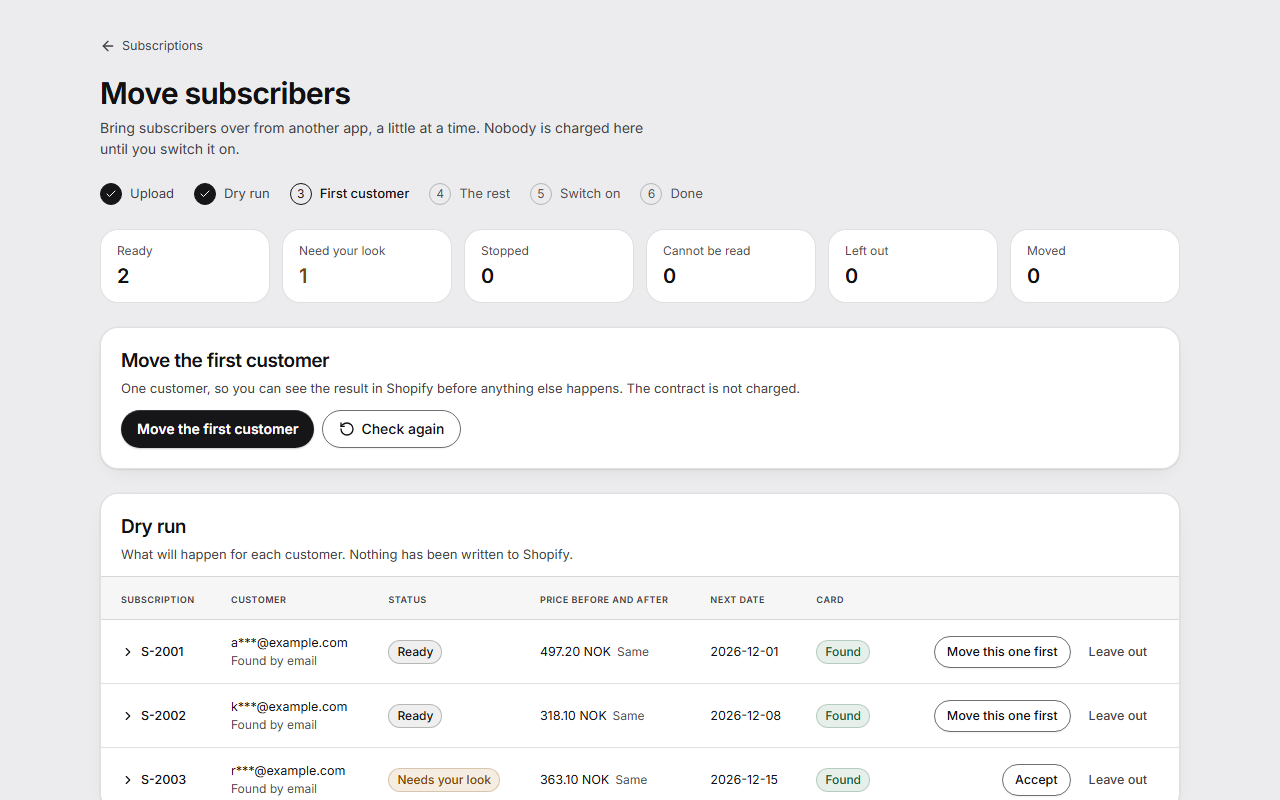
- On Move subscribers, the steps are shown at the top: Upload, Dry run, First customer, The rest, Switch on and Done.
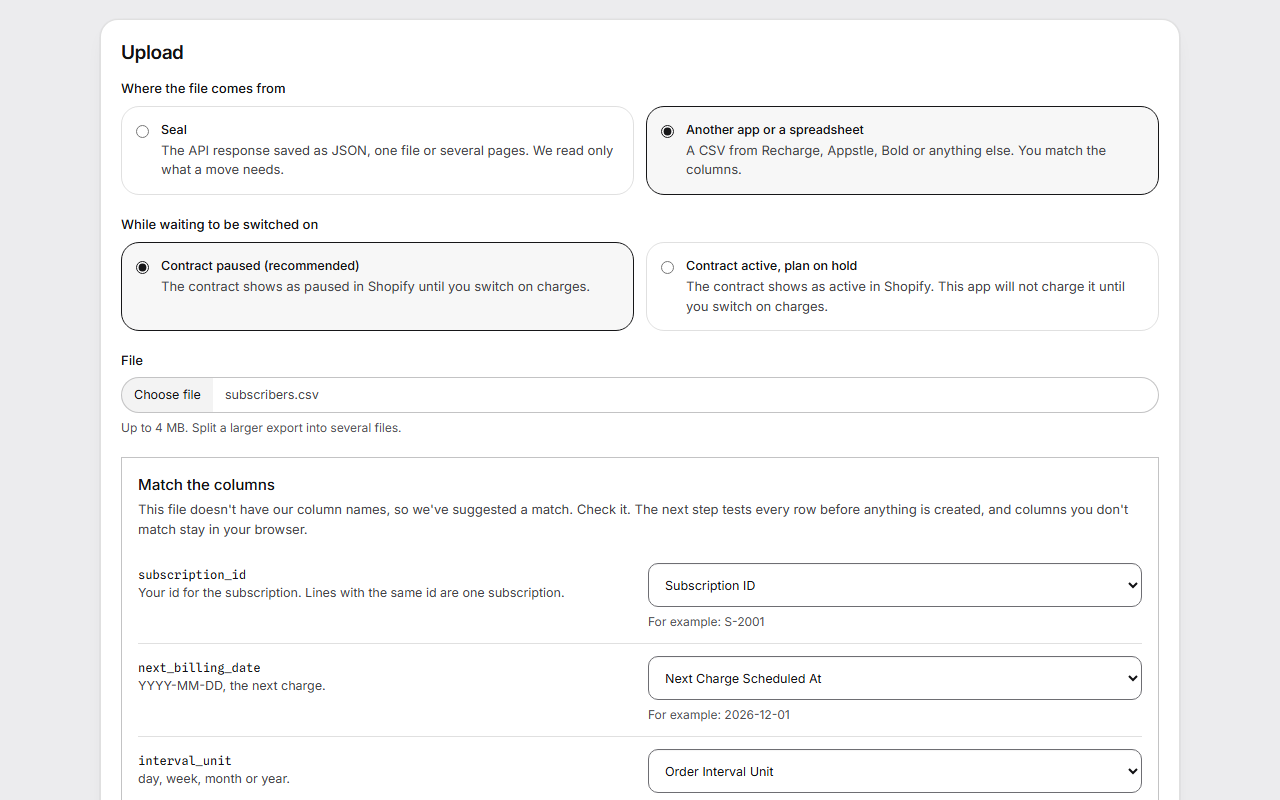
- Under Where the file comes from, choose Seal for Seal's API response saved as JSON, or Another app or a spreadsheet for a CSV from Recharge, Appstle, Bold or another app. Download CSV template and What the columns mean show the format.
- Under While waiting to be switched on, choose Contract paused (recommended) or Contract active, plan on hold.
- Press Choose file, then Read the file.
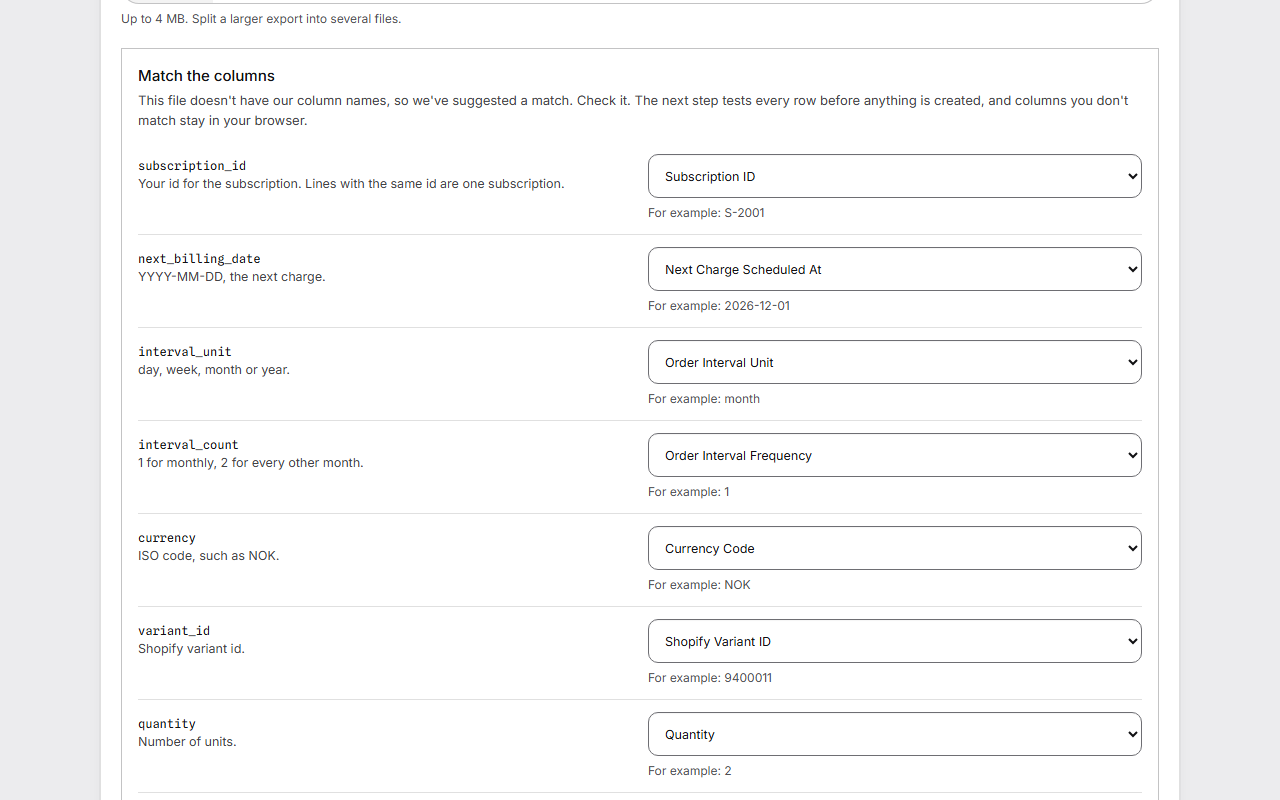
- If the CSV has other column names, check the suggested match under Match the columns.
- Read the Dry run. It shows what will happen for each customer, sorted into Ready, Need your look, Stopped, Cannot be read and Left out. Nothing has been written to Shopify.
- Fix rows in the old app and upload again, or press Accept or Leave out on a row. Press Check again to test the rows again.
Move the customers
- Pause charges in the old app for the customers you are moving.
- Fetch the file from the old app again after the pause, so it shows the last charge and the right next date. Upload that file.
- Press Move the first customer, or Move this one first on the row you want.
- Open the contract in Shopify and check that it looks right. Then press It looks right, move the rest.
- Press Move the rest. The rest are moved in small batches and read back from Shopify as they go.
Switch on charges
- Under Charges for this import, tick that charges are paused in the old app for every customer in the file.
- Tick that the file was fetched after that pause.
- Press Switch on charges. Contracts from this import are then charged on their dates.
- When the first charges here have gone through, press Finish and delete personal data. Download report keeps a record.
If something differs
If what Shopify holds differs from the file, the run stops by itself and shows the rows. For each row, choose Keep it as it is or End this contract.
To undo the whole move, press End all contracts from this import under The way back. It ends every contract the move made, in one action. Shopify can't reopen an ended contract, so resume the customers in the old app afterwards.
Good to know
- Keep the old app paused, not cancelled, until the first charges here have gone through. Never let both apps charge.
- Whether a card saved for another app works here depends on your store and isn't guaranteed. A customer without a card waits, uncharged, under Waiting for a card, with Look for cards again and Ask for a card by email.
- Where the line and the plan disagree on price, the lower price is used and the row is marked for you to look at. The customer never pays more.
- Each file can be up to 4 MB. Split a larger export into several files.
- Personal data from the file is deleted when you finish, and at the latest 30 days after upload.
- The move doesn't take over the other app's subscriptions. It makes new ones here.
- While new subscriptions are paused because you are over your plan's limit, you can't start an import. One you have started can still be finished or undone.
- Moving with our help is in Scale. Write to us before you move, and we go through it with you.